Pre-order pickup, near you
Find your next bite nearby
Fravin shows eateries around you on a map, takes your pickup order before you walk over, and keeps every dish rating tied to a completed order.
- Pickup only, no delivery wait
- Live order status
- Ratings from real orders
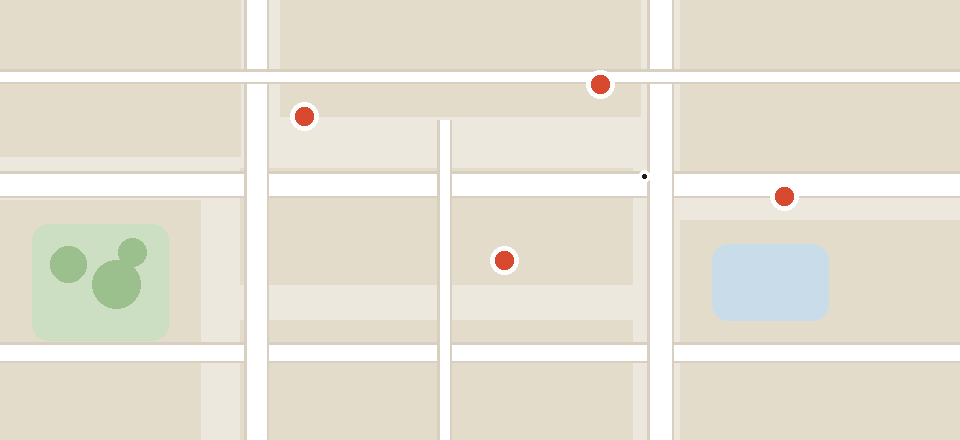
Eateries near you
Showing food spots within walking distance, with live open hours.
YOUR NEXT BITE IS NEARBY.
Open the map, order ahead from open food spots, and collect when it is ready. Every rating comes from a completed order.
Download for free today.
What it does
Order ahead, collect at the counter
Fravin is built for planned pickup. Browse what is close, confirm the order in the app, and collect it when the status turns Ready. Eateries get a structured live queue instead of phone calls, and both sides see the same status.
01 · DISCOVER
See what is open around you
Map-first browsing by distance, with hours that cover split shifts and off days. Search dishes and eateries as you type, with recent searches kept on your phone.
Open now Open
Each listing shows distance, type, and rating at a glance, so you can decide before you leave.
02 · ORDER
Pre-order across one or more eateries
Build a cart, confirm the pickup order, and follow it from Placed to Ready. Cancellation stays free while the order is still Placed.
Placed → Ready → Completed
One status both sides can see. Show the order screen at the counter and collect your food.
03 · RATE
Reviews that follow a real meal
Dish ratings unlock only after a completed order. Aggregates appear on dish rows everywhere in the app.
4.6 · 212 verified ratings
An example of how verified aggregates read on a dish. Counts here illustrate the format, not a real shop total.
For eateries
One queue, menu, and set of reviews
The Partner app takes the eatery from registration to daily service: guided setup, a live order queue, menu and hours controls, and analytics split by area.
How a pickup works
Three steps, one short walk
1. Find
Open the app, check who is open, and read the menu with verified dish ratings.
2. Order ahead
Confirm the pickup order and follow the live status from Placed to Ready.
3. Collect and rate
Collect at the counter and rate dishes.
Download
Get Fravin on your phone
One app to order ahead, one app to run your food spot. Official store links appear below as soon as the apps are published.
Fravin for customers
Find open food spots near you, pre-order pickup, and rate the dishes you tried.
Fravin Partner for eateries
Receive live pickup orders, manage your menu and hours, and see area-wise analytics.
The Partner app is available on Android.
Questions
Asked by first-time visitors
Short answers based on how the apps work today.
Is Fravin a delivery app?
No. Orders are collected at the eatery. The app tells you when the order is Ready so the visit is short.
How do I know when to leave?
Place the order first, then head over. The app follows the order from Placed to Ready so you arrive at the right time.
Can I cancel an order?
Yes, while it is still in Placed state. After preparation starts, cancellation is no longer available.
Why trust the ratings?
Dish ratings unlock only after a completed order, so they reflect people who ate the food. Ratings are final once submitted.